Sky Craft Mc Network
🌤 Sky-Craft MC Network 🌤 Welcome to Sky-Craft MC Network, a 40 player...
Lekoji Realm
Type: Minigames | Sandbox | Survival | Skygen | PvP Gamemode: Survival, Cre...
Variety Smp
Variety SMP goes through different mods each season so that you never get b...
Trophies On
(NEVER EXPIRES) Boost smp is a realm purely survival with achievements, the...
Glitch Pvp Minigames
MiniGames • PvP • Skygen • Economy • FFA • Parkour • Best Lobby...
Galactic Factions
Galactic Factions is a competitive Minecraft Bedrock realm where players bu...
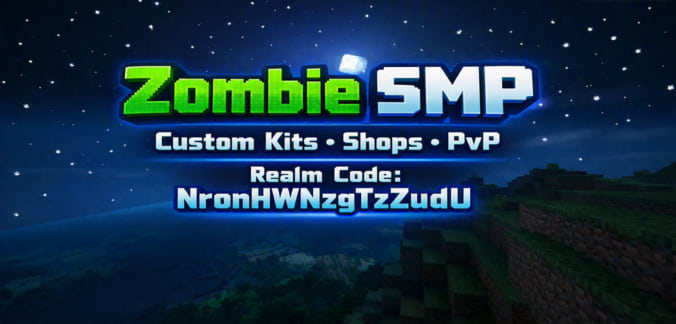
Zombie Realm
🔥 NEW BEDROCK REALM — Zombie SMP! 🔥 Welcome to Zombie SMP, a custom...

Novacraft War Smp
everything goes i know most anarchy servers allow cheating but not mine its...
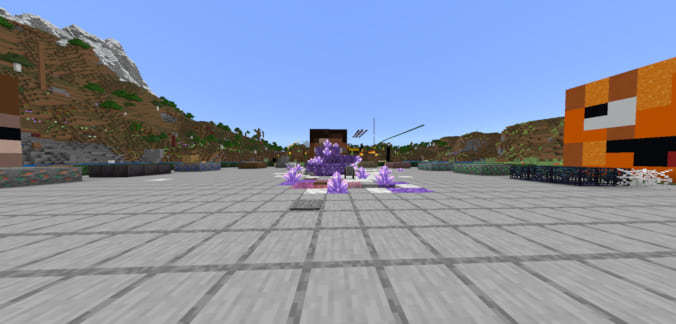
Crystal Gens
Realm Code: rjFTBUVervXAm8Y Bedrock realm crystal gens is a new gen server ...

Rocket Smp
Welcome to rocket smp! Team up with friends and travel far away to build yo...

Untamed Lands
Welcome to the Untamed Lands! A new and exciting survival realm where natur...
Hinterland Smp
Hinterland is a Moded Smp With MORE BIOMES MORE MOBS LEGENDARY WEAPONS TPA ...

Forthetime
Rhdhduudidkdkdkdjdhshdhdjdjdjdjdidiirjrjdjdkdidkdkddkjdjdjdkddkdkkdjd dkdjd...

Icecreampixelartmap
https://realms.gg/aXy_90Ke2-5x5_k Ice Cream Pixel Art Land is my first worl...
Haven Smp
🌿 Haven SMP — A New Community Survival Realm Welcome to Haven, a brand...

The Doza Smp
DOZASMP REALMS REALM 1s CODE - DcrMmYBQpAnyUJA REALM 2s CODE - BP9Pge9Tw8Rj...
Minecraft Realm Codes
Play minecraft online now by hopping on a realm server from our list above! Invite friends and create your own world, without the hassle of creating a multiplayer server.
What's Minecraft Realms?
What are Minecraft Realms? Realms servers are a basic version of a Minecraft server that can be purchased on the Minecraft marketplace. Each Minecraft realm was three world slots and an additional slot for mini games.
What is Realms Plus?
A Realms plus subscription allows you to invite even more players than the standard monthly Minecraft Realms subscription. The realms subscription supports a maximum of 2 players, while realms plus allows you to invite up to 10 players simultaneously.
Minecraft Realms Price
Is a Minecraft Realm worth it? With prices starting at $3.99 per month (2 players max), and the Realms plus subscription service going for $7.99 (10 players max), a Realms subscription is a budget-friendly way to acquire your own online world to play with your friends on.
As a new realm owner (even with realms plus), you won't be getting access to the custom game modes, mods, and plugins available for Java edition servers - but you won't be facing any of the challenges of setting them up either.
Are Minecraft Realms free?
While you can't get Minecraft Realms free of charge, it is a solid alternative to a self-hosted multiplayer server, that will allow you to invite players of different platforms (Minecraft Java edition or Bedrock edition, XBox consoles, mobile devices, Nintendo Switch, etc) to participate on multiplayer games in the same Minecraft world.
What is a Minecraft Realms List?
What is a Minecraft Realms List? A realms list is a website that can help Minecraft players find Realms to play online. This Minecraft Realms list is frequently updated and contains both Java Realms & Bedrock Realms, so you can game on anything from an XBox console and other Bedrock devices, to Minecraft Java Edition running on your PC.
Normally with a realm, only people who the owner has invited can gain access to it's online worlds. With a realm server list, more java and bedrock players can join.
In order to use our Minecraft Realms List, simply scroll down our website and click copy IP address once you ve found the realm that you think you will enjoy and boom, just copy it into your Minecraft launcher and have fun playing the realm list
How do I play Minecraft Realms?
In order to play a on a Minecraft Realm you must have Mojang's Minecraft installed on your computer or device. Load up Minecraft Multiplayer and then click add realm. Pick the Minecraft Realm from our site that you would like to play, click add realm, and then type in the realm code.